

Introduction & Example Videos
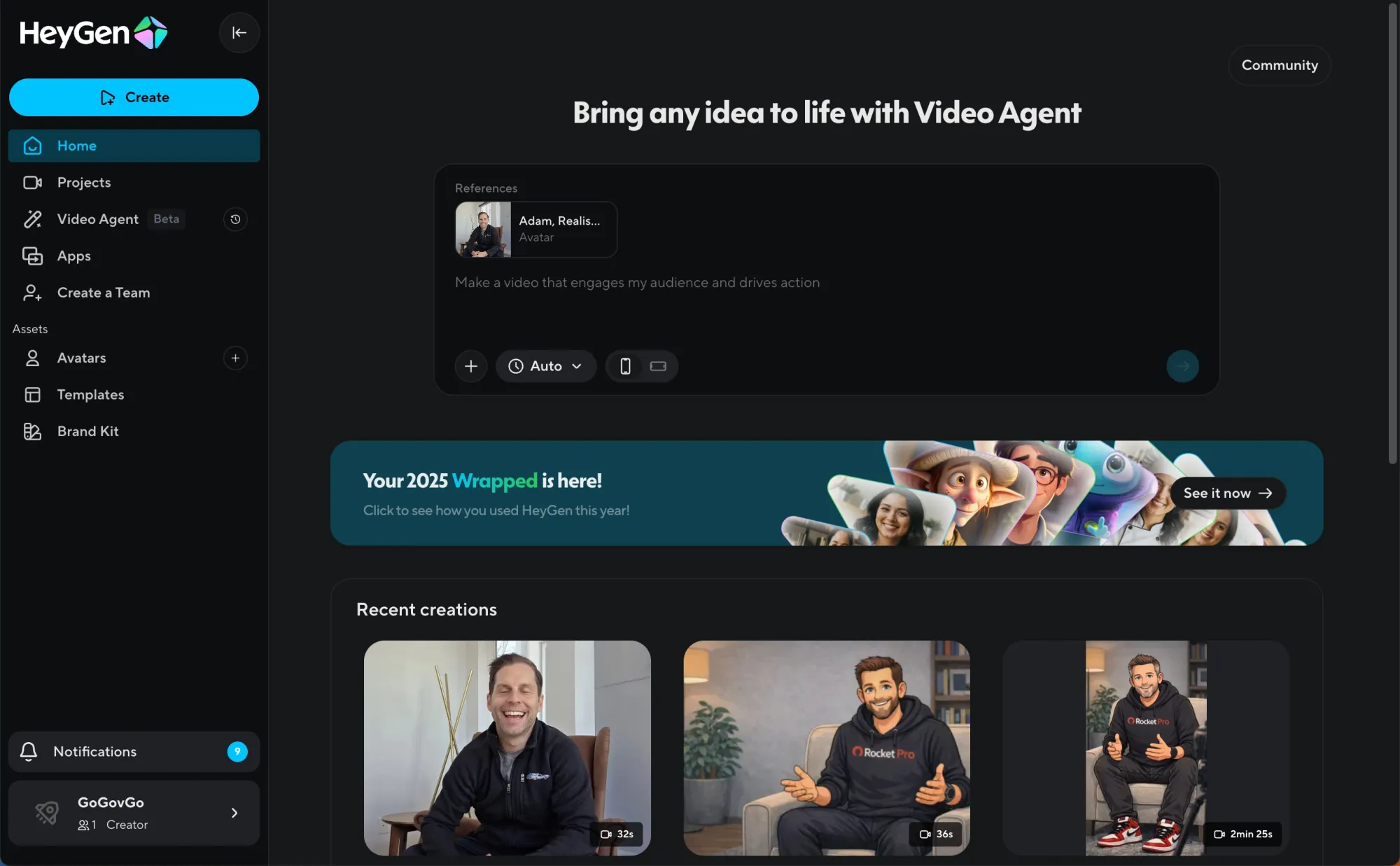
I did not set out to write a HeyGen review.
I set out to answer a question that has been quietly hanging over every creator, product team, and media company experimenting with AI video tools:
Can any of these tools actually function as production infrastructure, or are they all still novelty machines for meme generation?
If you’re curious to experiment with this kind of workflow yourself, you can check out HeyGen here:
👉 Try HeyGen – this is the exact setup I used to create reusable avatars and publish dozens of videos without recording overhead.
Text crossed that line a while ago. Images are crossing it now. Video is the last, hardest frontier, especially video that involves human presence. Faces, voices, pacing, credibility. These are the things audiences subconsciously judge in milliseconds.
Most AI video tools look impressive in isolation. They produce a clip that makes you say “wow.” Then you try to make ten more videos, and the illusion collapses. Inconsistency creeps in. Friction multiplies. What looked magical starts to feel brittle.
I wanted to know whether HeyGen was different. Especially as they position themselves as a production tool, not just shortform video generation.
So instead of playing with it casually, I used it as the core video engine behind an ongoing experiment I am building called GoGovGo. The goal was not to generate a single polished clip, but to operate HeyGen like a lightweight video studio that could support consistent publishing.
Not one avatar.Not one viral experiment.A system.
Here are a few examples right off the bat:
HeyGen Video Example - Illustrated Avatar
HeyGen Video Example - Realistic Avatar
HeyGen Video Example - Illustrated Avatar for GoGovGo, Ethan Ledger
HeyGen Video Example - Illustrated Avatar for GoGovGo, Sophia Nova
You can see more of the output of that system here:
👉 https://instagram.com/gogovgo.ai
👉https://gogovgo.ai
This article is the result of that stress test.
If you’re curious to experiment with this kind of workflow yourself, you can check out HeyGen here:
👉 Try HeyGen – this is the exact setup I used to create reusable avatars and publish dozens of videos without recording overhead.
What HeyGen Is Trying to Replace
On paper, HeyGen is simple. You write a script, pick an avatar, choose a voice, and generate a video.
In practice, HeyGen is attempting something much more ambitious. It is trying to compress multiple layers of traditional video production into software.
Think about what normally goes into producing even a short talking-head video:
- A human presenter
- A recording setup
- Lighting, framing, and audio
- Multiple takes
- Editing
- Consistency across episodes
Each of those steps adds friction. Each one makes video feel expensive, time-consuming, and mentally heavy. The result is that many people who should publish video simply do not.
HeyGen’s real value proposition is not realism for its own sake. It is removing the psychological and operational tax of video creation.
If that works, it changes the economics of video entirely.
Use Case: GoGovGo
Political media is an especially brutal environment for video tools.
It demands:
- Frequent publishing
- Clear, confident delivery
- Consistent on-camera personas
- Fast turnaround
- A tone that feels credible, not gimmicky
GoGovGo was designed as an experiment in whether AI tools could support that cadence without collapsing under their own limitations.
This was not about making AI personalities for entertainment. It was about answering a harder question: can AI-generated video feel routine instead of impressive?
That framing matters. Routine is where infrastructure lives.
Building a Cast, Not a Character
Over the course of the experiment, I created five avatars inside HeyGen.
Three of them were designed as recurring GoGovGo anchors. Each had a defined role, visual identity, and tone. The other two were used for testing different styles, pacing, and presentation formats.
This distinction is important.
Most AI video experiments focus on creating a character. I was focused on creating a cast. Something closer to a newsroom than a demo reel.
HeyGen’s avatar system held up surprisingly well under that lens.
Avatar Creation: Where HeyGen Excels
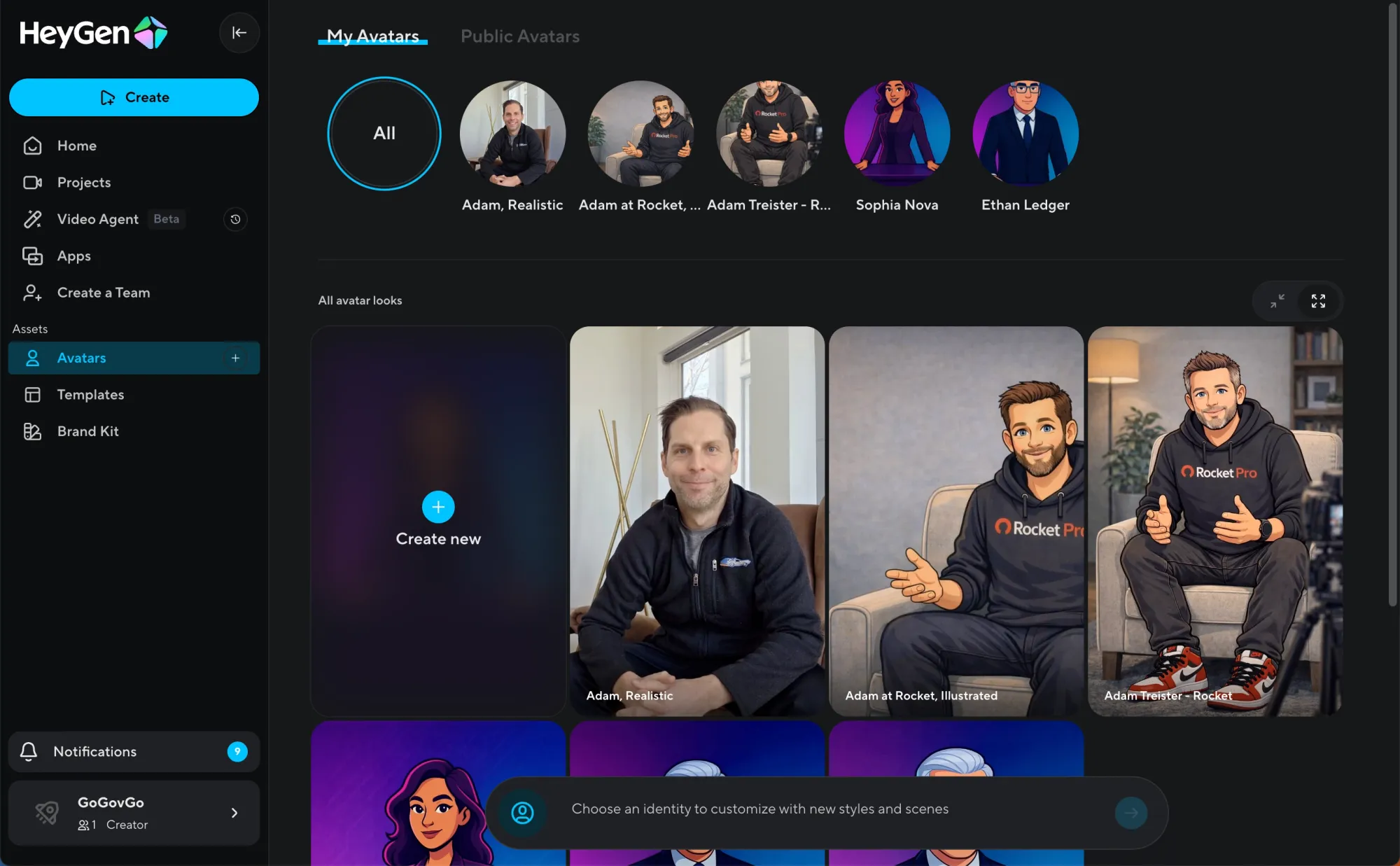
Avatar creation is where many AI video tools fall apart over time.
Early on, things look good. Then subtle drift creeps in. Facial proportions shift. Lighting changes. Expressions feel inconsistent. Over multiple videos, the illusion degrades.
HeyGen largely avoids that.
Once an avatar is created, it behaves consistently across outputs. The face looks the same. The framing stays stable. The visual identity holds.
That consistency is not flashy, but it is foundational. It is the difference between something you can build on and something you constantly have to babysit.
Strengths
- Visual stability across videos
- Acceptable lip-sync accuracy
- Clean, predictable framing
- Avatars feel reusable, not disposable
Limitations
- Emotional range is constrained
- Micro-expressions can feel muted
- High-energy or reactive delivery exposes the ceiling
For scripted commentary and news-style delivery, this tradeoff is acceptable. In fact, restraint often works in its favor. Overly expressive AI avatars tend to feel uncanny faster.
Writing for AI Changes How You Think About Video
One of the most interesting side effects of using HeyGen seriously is how it changes your writing behavior.
Traditional video feels precious. Every take costs time and energy. That pushes creators to overthink scripts upfront.
HeyGen flips that dynamic.
Because generation is fast and iteration is cheap, writing becomes more exploratory. I found myself working in short loops:
- Draft a script quickly
- Generate a video
- Watch it objectively
- Adjust phrasing, cadence, or structure
- Regenerate
That loop is closer to how writers iterate on text than how people traditionally approach video. It makes video feel lighter and more malleable.
This is a subtle but profound shift. It lowers the emotional barrier to publishing.
Voice: The Most Important Variable You Underestimate
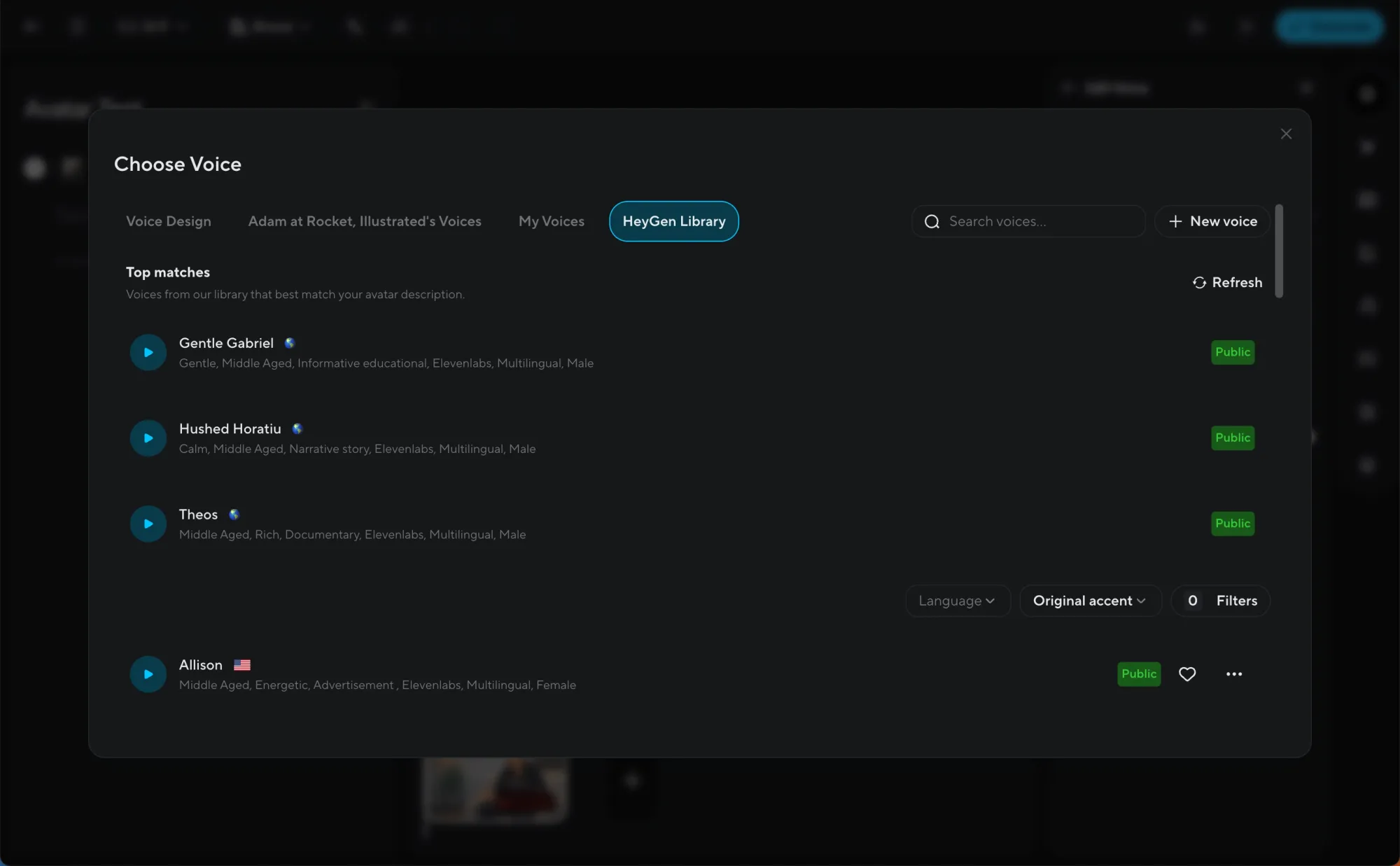
If avatars are the visual foundation, voice is the emotional one.
HeyGen Stock Voices
HeyGen’s built-in voices are competent and professional. They are clear, neutral, and consistent. For many use cases, they are sufficient.
Where they struggle is emotional nuance. Over longer scripts, you can hear the cadence. It becomes slightly flat, slightly predictable.
For short-form informational content, this is fine. For longer commentary, it becomes noticeable.
Cloning My Own Voice
I also cloned my own voice using HeyGen.
The result was not perfect, but it crossed an important threshold: it was good enough to publish publicly.
That is the line that matters.
The cloned voice felt more personal and aligned better with my writing style. It reduced the generic feel that stock voices sometimes introduce. That said, it still required adaptation. You have to write for the model, not as if you are speaking naturally.
Why I Added Eleven Labs to the Stack
Partway through the experiment, I decided to supplement HeyGen with Eleven Labs.
One of the GoGovGo avatars uses a voice generated with Eleven Labs. The others use a mix of HeyGen stock voices and my cloned voice.
Eleven Labs still leads the market on pure voice realism and emotional control. The difference is especially noticeable on longer scripts or more nuanced delivery.
Pairing Eleven Labs with HeyGen gave me more flexibility. HeyGen handled avatars and video. Eleven Labs handled higher-fidelity voice when needed.
I will be doing a separate, dedicated deep dive on Eleven Labs in a future post, because it deserves focused analysis on its own.
Editing, Templates, and the Power of Constraints
HeyGen is not a full video editor, and that is intentional.
You do not get:
- Detailed timeline-level editing
- Fancy transitions and effects
- Visual experimentation tools
What you do get is speed and consistency.
This constraint is a feature, not a flaw. It forces you to think in terms of formats rather than one-off creative flourishes.
For GoGovGo, that meant:
- Consistent framing
- Predictable pacing
- Reusable templates
- Faster publishing
If your goal is cinematic storytelling, HeyGen is not the right tool. If your goal is operational consistency, it excels.
Customer Support
Early on, I ran into an issue generating 720p video output. The quality was inconsistent, and something clearly was not working correctly on the backend.
This was a critical moment. Many AI tools fall apart here. Support is slow. Responses are vague. Problems linger.
That did not happen.
I reached out to HeyGen support and the issue was fixed shockingly fast. No endless ticket chains. No hand-waving. The problem was resolved, and since then, video generation has been smooth and reliable.
For a tool that positions itself as production infrastructure, this matters. Responsiveness is part of the product.
How HeyGen Compares to Alternatives
Synthesia
Synthesia feels more enterprise-polished but more rigid. It is slower to iterate and less flexible for rapid experimentation.
Runway
Runway is powerful and visually experimental, but it is not designed around human presenters. It solves a different problem.
Eleven Labs
Eleven Labs dominates voice generation, but it does not attempt to handle video or avatars. HeyGen’s advantage is that it integrates easily with Eleven Labs. It solves one specific workflow end to end.
Who HeyGen Is Actually For
HeyGen is a strong fit if you:
- Publish recurring video content
- Need consistent on-camera presence
- Value speed and repeatability
- Want reusable video assets
- Think in terms of formats, not one-offs
It is not ideal if you:
- Rely heavily on emotional performance
- Need custom visuals every time
- Want deep post-production control
- Treat video as art rather than workflow
The Bigger Picture
The most important thing about HeyGen is not how realistic the avatars are today.
It is what the tool makes possible when video stops being precious.
When video becomes routine, it changes:
- Who publishes
- How often they publish
- What kinds of ideas get expressed
- How fast media experiments can run
HeyGen is not perfect. It has clear limits. But it crosses an important threshold. It behaves like a system, not a gimmick.
Pricing
To start - I used HeyGen on the $30 per month plan, which was enough to get started and run meaningful experiments. As I increased output and iteration, I added another $30 per month for extra credits to support higher volume. At roughly $60 per month all in, it still felt inexpensive compared to traditional video production, especially given the ability to reuse avatars, iterate quickly, and publish consistently without recording overhead.
Final Verdict: A Clear Recommendation
After using HeyGen seriously, not casually, it’s clear this is not a novelty tool. It behaves like production infrastructure. The ability to reuse avatars, iterate quickly from script to video, and publish consistently without recording overhead fundamentally changes how practical video becomes for individuals and small teams.
HeyGen still has limits. Emotional range is constrained, advanced editing is intentionally minimal, and voice quality improves significantly when paired with tools like Eleven Labs. But those constraints are reasonable tradeoffs given what the product enables. For recurring formats, explainers, commentary, and news-style delivery, it works far better than most AI video tools on the market.
If you think of video as a workflow instead of a performance, HeyGen makes a lot of sense. It is the closest thing I’ve found to a reusable AI video studio.
Better Products Score: 8.6 / 10
Strong execution, real utility at scale, and clear momentum. Not perfect, but genuinely useful today.
For more example videos, check them out here:
👉 https://instagram.com/gogovgo.ai
If you’re curious to experiment with this kind of workflow yourself, you can check out HeyGen here:
👉 Try HeyGen – this is the exact setup I used to create reusable avatars and publish dozens of videos without recording overhead.
For inquiries or collaboration: Email adam@adamtreister.com — I personally read every message.

